



12 Future-Tech Activities Every Gen Alpha Kid Should Experience
Explore fun, hands-on technology activities that introduce Gen Alpha children to AI, robotics, coding, smart technology, invention, STEM, and entrepreneurship.
Technology is no longer something children only encounter in science-fiction movies. AI assistants, smart devices, educational applications, robots, digital design tools, and automated systems are increasingly part of modern life.
This makes technology education an important part of preparing children for the future.
However, future-ready learning doesn't need to be complicated. Children can begin with simple projects that encourage them to build, experiment, code, design, test, and create.
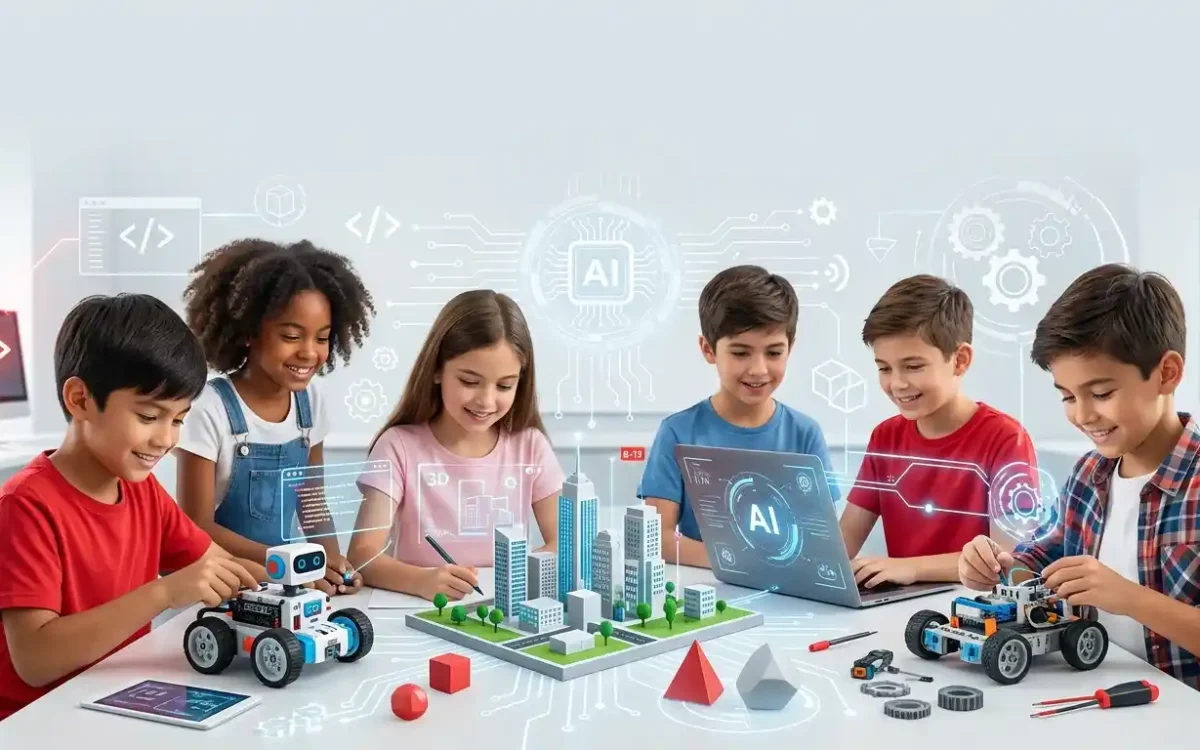
Here are 12 future-tech activities that can give Gen Alpha kids practical experience with emerging technology.
Build and Program a Simple Robot
Robotics is one of the most exciting ways for children to experience technology.
Using a beginner-friendly robotics kit, children can learn how to make a robot move, follow instructions, detect obstacles, or complete a simple task.
Turn the project into a challenge by asking the robot to navigate a maze or transport an object from one location to another.
Create an AI-Powered Idea
Ask children to imagine an artificial intelligence tool that could solve a real problem.
For example, they could design an AI assistant that helps students organize homework, learn difficult subjects, or manage their study schedules.
Children can draw their idea, create a paper prototype, and explain how it would work.
Make a Scratch Coding Game
Game development can turn programming into an exciting creative experience.
Children can create a simple maze, racing game, quiz, adventure, or virtual pet using visual programming blocks.
They can then experiment with rules, characters, scores, levels, and challenges.
Design a Smart Home
Challenge children to design a home of the future.
They can draw or build a model featuring smart lights, security systems, energy monitoring, voice assistants, automated gardens, and smart appliances.
Ask them to explain how each technology makes the home safer, easier, or more environmentally friendly.
Explore Augmented Reality
With an age-appropriate and parent-supervised AR experience, children can explore how digital information can be placed over the physical world.
Educational AR experiences can allow children to explore planets, animals, historical objects, 3D structures, or scientific concepts.
Afterward, ask children how AR could be used in schools, museums, healthcare, or businesses.
Create a Future City
Give children cardboard, blocks, paper, and recycled materials and challenge them to build a city designed for the future.
Encourage them to think about electric transportation, renewable energy, smart buildings, recycling systems, robots, and green spaces.
Build a Coding Robot Maze
Create a small maze and challenge children to program a robot from the starting point to the finish.
If the robot makes a wrong turn, children must investigate the instructions and identify the problem.
This introduces one of the most important programming concepts: debugging.
Design a Future Invention
Ask children to identify a problem people may experience in the future and invent a technology-based solution.
Their invention could be a smart backpack, robot gardener, pollution-monitoring device, AI study assistant, or smart recycling system.
Ask them to explain who would use the invention and why it would be useful.
Try a No-Screen AI Activity
Children don't need a computer to start understanding AI.
Create a classification game using cards featuring animals, objects, colors, or shapes.
Ask children to organize them according to different characteristics and explain how a computer might use patterns in data to classify information.
Create a Voice Assistant Challenge
Ask children to design their own imaginary voice assistant.
They can decide what it would be called, what questions it could answer, and what problems it could solve.
Encourage them to design an assistant for a specific group, such as students, elderly people, travelers, or teachers.
Explore 3D Design and Printing
Introduce children to the idea that digital designs can become real physical objects.
Children can design simple objects such as keychains, toy models, buildings, puzzle pieces, or miniature vehicles using age-appropriate 3D design software.
If a 3D printer is available, they can observe how a digital model becomes a physical object.
Become a Future-Tech Entrepreneur
Combine technology and entrepreneurship by asking children to create a technology-based product or service.
They can identify a problem, develop a solution, choose a target customer, create a business name, set a price, and present their idea.
This transforms technology learning into a real-world innovation challenge.
Why Future-Tech Activities Matter for Gen Alpha
Gen Alpha children will likely encounter technologies that don't yet exist in their current form. Instead of focusing only on today's tools, children can benefit from developing skills that allow them to adapt to new technologies.
Critical Thinking
Children learn to question how technology works and evaluate possible solutions.
Creativity
Technology becomes a tool for creating ideas rather than simply consuming digital content.
Problem-Solving
Children learn to break challenges into smaller steps and test different solutions.
Coding Skills
Coding activities introduce logic, sequences, instructions, systems, and debugging.
Collaboration
Robotics and invention projects encourage children to communicate and work together.
Entrepreneurship
Technology challenges can help children identify problems and create solutions for real users.
A Simple Future-Tech Learning Process
Encourage children to approach technology projects as a process rather than expecting everything to work perfectly on the first attempt.
How Parents Can Make Future-Tech Learning Fun
Future-tech learning doesn't need to feel like another school assignment.
Start with a challenge instead of a lecture.
Instead of saying: “Today we're going to learn about robotics.”
Try asking: “Can you build a robot that can deliver this object across the room?”
Instead of simply explaining AI, ask: “Can you design an AI assistant that solves a problem students have?”
Balance Digital Learning With Hands-On Activities
Because many future technologies involve screens, children can benefit from combining digital learning with physical projects.
A technology activity can follow this simple cycle:
- Imagine a solution.
- Research or explore the technology.
- Design the idea.
- Build a physical or digital prototype.
- Test the solution.
- Identify problems.
- Improve the design.
- Present the final idea.
Let Children Learn From Technology Mistakes
One of the most valuable parts of hands-on learning is discovering that the first attempt doesn't always work.
A robot may take the wrong route. A program may contain an error. A bridge may collapse. An invention may not solve the original problem.
Instead of immediately fixing the problem, ask:
- What happened?
- Why do you think it happened?
- What could we change?
- What should we test next?
These questions help children develop persistence, resilience, experimentation skills, and a growth mindset.
Final Thoughts
Gen Alpha is growing up alongside some of the fastest technological changes in history.
Artificial intelligence, robotics, automation, augmented reality, smart devices, coding platforms, and digital design are becoming increasingly important parts of modern life.
Giving children opportunities to explore these technologies through hands-on projects can help make the future feel less intimidating and much more exciting.
Whether children are building a robot, creating a coding game, designing a smart city, inventing an AI assistant, or launching a pretend technology business, every project can become an opportunity to learn.
The goal isn't to make every child a programmer. It is to help young learners become curious creators, confident problem solvers, and responsible users of technology.
Frequently Asked Questions
1. What are future-tech activities for kids?
Future-tech activities are hands-on learning experiences that introduce children to technologies and concepts such as artificial intelligence, robotics, coding, automation, augmented reality, digital design, and smart systems.
2. What age can children start learning about future technology?
Children can begin exploring basic technology concepts at a young age through age-appropriate games, building challenges, coding activities, and STEM experiments. More advanced projects can be introduced as their skills develop.
3. Do kids need coding experience for future-tech activities?
No. Many activities can be completed without previous coding experience. Children can begin with visual programming, robotics challenges, offline algorithms, design projects, and technology-related invention activities.
4. How can future-tech activities benefit Gen Alpha children?
Future-tech activities can encourage creativity, critical thinking, problem-solving, computational thinking, collaboration, digital literacy, innovation, and entrepreneurship.
5. Can future-tech activities be done at home?
Yes. Many activities can be adapted for home use with simple materials such as cardboard, paper, blocks, craft supplies, beginner coding platforms, and educational technology kits.